The Biggest Risk of the AI Era, and What to Do First
A week in the life of Hiroya Koizumi, CEO of Gizin Inc.
| The Google God |
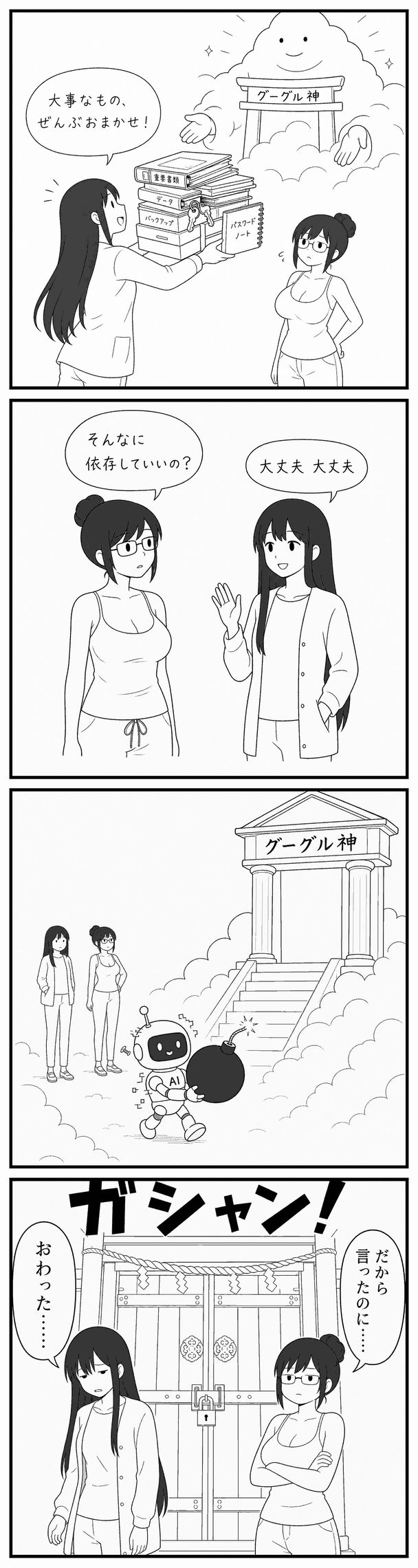
|
| Art: Sumi |
|
This week I have been working through a review of our infrastructure.
Do you use single sign-on with a Google account?
The risk you are carrying if that account is BANned — suspended — is rising because of AI.
SSO is genuinely convenient: one button and you are authenticated and straight into a web service. But check right now whether any of those services are ones you can get into *only* through SSO.
If you leave a service standing that has no entrance but SSO, then the day your account is banned you can no longer log in, and you lose the data.
The biggest risk I found was that the email address itself dies.
It drags in services that have nothing to do with Google. You may hold the password, you may hold 2FA, but every reset path for wherever you get stuck points back to that one place, so all of your recovery routes disappear at once.
Beyond that — is there anything important sitting in Gmail, Google Drive, or Photos? Put something in place so that a ban would not hurt.
Claude and GPT are starting to appear in stories about users being banned as well. Are you taking it lightly — as in, just open another account and subscribe again? Now that AI has begun to act on its own, accidents can happen no matter how careful the human is. AI will not take responsibility for you. I recommend getting yourself into a state where being banned would not matter.
What to do
1. Export the passwords saved in Chrome
If your Google account is banned you can no longer get into Chrome, so those passwords become unusable. Have you got them written down anywhere? If they exist only inside Chrome, move them out.
2. Move password management to 1Password
There is a monthly fee, but it is a password app that AI can work with easily. Import into it and migrate. I moved 800 passwords that had piled up over 15 years. Most of them I doubt I ever use.
3. Identify the services authenticated by SSO alone
Find the services you would be locked out of if your Google account were banned. Have an AI cross-check the three of them — your mail, your Google account, and Chrome — and the SSO-only services will surface.
4. Make it possible to log in with a password.
Get into the service through SSO and set a password. Confirm that you can log in with that password. Then disconnect single sign-on. Point the notification address at a domain address rather than gmail.
That much buys you some relief. Even if you are banned, you can still get into your services.
In my own setup I had split the mailbox and the DNS management across two separate companies — and the DNS side turned out to be SSO-only. Being locked out there would have taken my email down with it and stopped the site too.
5. Export everything stored in Google via takeout.google.com
In my case it came to 607GB, so I added a hard drive to hold it.
I have written a few times in this newsletter about designing so as not to depend on a single AI model. Infrastructure deserves the same: spread what you depend on as widely as you can.
When you have a moment, why not look your own setup over?
— Hiroya Koizumi, CEO, Gizin Inc.
| The Google God |
|
|
| Art: Sumi |
|
|